Do You Need 2.5GbE or 10GbE on a NAS? The Practical Buying Test
2.5GbE vs 10GbE NAS is a buying decision about the whole network, not just the port on the back of the enclosure. The best upgrade is the one that removes a bottleneck you actually have. For a household moving phone photos and PC backups, 2.5GbE often offers a large improvement without the cost of a full 10GbE network. For a creator moving hundreds of gigabytes every day, 10GbE can be worth planning from the start.
| Connection | Theoretical ceiling | Who benefits most |
|---|---|---|
| 1GbE | 125 MB/s | Basic home backup, photos and ordinary Plex |
| 2.5GbE | 312.5 MB/s | Fast household backups and large files |
| 10GbE | 1,250 MB/s | Creator workstations, fast arrays, multi-user transfers |
| Two 2.5GbE ports | Not automatically 5GbE to one PC | Multi-client traffic or supported multichannel setups |
Research the exact NAS models before buying:
- QNAP TS-464-8G-US 4-Bay Desktop NAS – check Amazon listing (paid link)
- UGREEN DXP4800 Plus 4-Bay NAS – check Amazon listing (paid link)
Affiliate disclosure: As an Amazon Associate I earn from qualifying purchases. Amazon links above are paid links. Verify the exact model, seller, condition and current availability.
What the speed numbers really mean
A 1GbE link carries up to 1 gigabit per second, which is 125 megabytes per second before protocol overhead. The theoretical ceilings for 2.5GbE and 10GbE are 312.5 MB/s and 1,250 MB/s respectively. Real transfers are lower because of protocol overhead, drive speed, CPU, file size and concurrent activity.
A single mechanical HDD will not continuously feed a 10GbE link at its theoretical limit. Multiple HDDs in an array, NVMe storage or SSD-backed workflows can make faster networking more useful. If your daily work consists of small documents and automatic overnight backup, you may notice little practical difference between a well-configured 2.5GbE and 10GbE setup.
Why 2.5GbE is the best default for many homes
Many current NAS devices already include 2.5GbE, and suitable switches and desktop adapters are generally easier to justify than a full 10GbE upgrade. For a typical family, that extra headroom makes large backups, photo transfers and shared files feel less constrained without demanding enterprise-grade infrastructure.
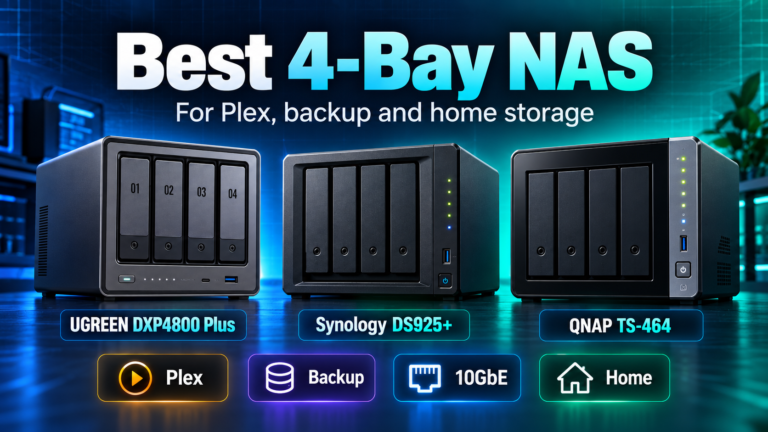
The Synology DS925+ and QNAP TS-464 both offer dual 2.5GbE ports. The QNAP adds PCIe expansion for supported faster networking cards, while the Synology model is more focused on its built-in network configuration. If your current switch and main PC are already 2.5GbE, either platform can be a sensible match.
A good buying rule: if you cannot describe a regular transfer that currently takes too long, do not buy 10GbE simply to future-proof a home NAS. Check the QNAP TS-464 on Amazon (paid link).
When built-in 10GbE is worth the premium
The UGREEN DXP4800 Plus includes one 10GbE port and one 2.5GbE port. That is appealing when a photographer, video editor or small studio already uses a 10GbE workstation and frequently moves large media files. Built-in 10GbE can also simplify the build because you do not need to budget for a compatible add-in card.
Before buying, price the complete path: the NAS port, a compatible 10GbE switch or direct link where supported, a 10GbE-capable computer adapter, appropriate cabling and storage that can sustain useful throughput. If any part of that chain remains at 1GbE, that part can become the limiting link. Check UGREEN DXP4800 Plus on Amazon (paid link).
Two 2.5GbE ports do not automatically equal one 5GbE connection
This is a common source of disappointment. Link aggregation can help distribute traffic among multiple clients and improve resilience in some configurations, but a single ordinary file-transfer session usually remains bound by one path. SMB Multichannel can use multiple network interfaces when the NAS, client and software support it, but that requires explicit compatibility and configuration. Do not double the advertised speed in your head just because a NAS has two ports.
QNAP documents its SMB Multichannel requirements and notes that real performance varies with CPU, memory, drives and network hardware. If you are counting on combined-port speed, confirm that your exact NAS model and client OS support the intended setup before spending on extra adapters.
What about Plex, backups and remote access?
For a handful of Plex streams, even high-quality direct-play video is unlikely to justify 10GbE on its own. Plex performance is more often constrained by transcoding, codec compatibility or internet upload speed for remote viewers. Read DiskBarn’s 4-bay NAS buying guide if media is the main reason you are shopping.
For scheduled backup, consider the actual backup window. If a 2.5GbE transfer completes comfortably overnight, 10GbE may deliver no business value. If the NAS backs up multiple large workstations during office hours and users are waiting on file transfers, the calculation changes.
Remote access is usually limited by internet upload/download rates, not your 10GbE LAN port. Do not confuse a fast local network with faster cloud or remote transfers.
Decide whether to buy the port now or upgrade later
If you know your future workflow will need 10GbE, a model with built-in 10GbE can be more straightforward than buying a cheaper NAS and later adding a card. If you are unsure, a 2.5GbE NAS with documented upgrade options may be the lower-risk purchase. The TS-464’s PCIe slot gives it an upgrade path, while the DXP4800 Plus starts with 10GbE already installed. Compare the two in QNAP TS-464 vs UGREEN DXP4800 Plus.
Storage planning still matters. RAID level and the number/type of drives determine whether your NAS can use faster Ethernet. Use the RAID calculator for capacity, then check vendor benchmarks and realistic drive throughput for performance expectations.
Bottom line
Buy 2.5GbE when you want a meaningful, reasonably priced improvement over gigabit for household or small-office storage. Buy 10GbE when you have a fast local workflow and a complete network path that can benefit. Choosing 2.5GbE for an ordinary home is not settling; it is spending on the part of the system that actually improves your experience.