RAID 1 vs RAID 5 vs RAID 6 vs RAID 10: Which NAS Layout?
RAID 1 vs RAID 5 vs RAID 6 vs RAID 10 is a choice about usable capacity, failure tolerance and recovery behavior. It is not a ranking where the highest number is automatically best. The right array depends on how many bays you have, how much storage you need, how long a rebuild could take and whether you maintain a separate backup.
| Layout | Minimum drives | Usable with 4 × 12TB | Failure tolerance |
|---|---|---|---|
| RAID 1 | 2 | Not a standard four-disk RAID 1 example | 1 drive in a 2-disk mirror |
| RAID 5 | 3 | ~36TB before overhead | Any 1 drive |
| RAID 6 | 4 | ~24TB before overhead | Any 2 drives |
| RAID 10 | 4, even count | ~24TB before overhead | One per mirrored pair; pattern matters |
Research the exact NAS models before buying:
- Synology DiskStation DS925+ 4-Bay Diskless NAS – check Amazon listing (paid link)
- QNAP TS-464-8G-US 4-Bay Desktop NAS – check Amazon listing (paid link)
- UGREEN DXP4800 Plus 4-Bay NAS – check Amazon listing (paid link)
Affiliate disclosure: As an Amazon Associate I earn from qualifying purchases. Amazon links above are paid links. Verify the exact model, seller, condition and current availability.
Start with the capacity math, not the RAID name
With two 12TB drives in RAID 1, the mirror provides roughly 12TB before filesystem and system overhead. With four 12TB drives, RAID 5 provides roughly 36TB, RAID 6 roughly 24TB and RAID 10 roughly 24TB. These are simplified equal-drive calculations; usable formatted capacity is lower, and vendors may use different capacity units.
If your main goal is to store 20TB of important files, two 12TB drives in RAID 1 are not enough. Four 12TB drives in RAID 6 may fit with limited growth room, while RAID 5 provides more headroom but less fault tolerance. Calculate future needs rather than building an array that is nearly full on day one. DiskBarn’s RAID & NAS Capacity Calculator helps compare the layouts.
RAID 1: the sensible two-bay default
RAID 1 mirrors data across two disks. One drive can fail and the volume can generally continue running until the failed disk is replaced. The cost is straightforward: you buy two drives and get about one drive’s usable capacity. For a first NAS focused on family backups, that simplicity is often worth the capacity overhead.
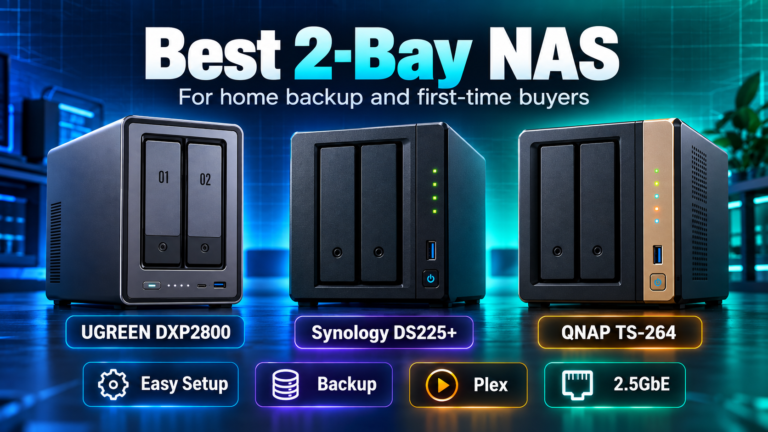
A two-bay NAS with two matched SATA HDDs can be a clean starting point when the protected data comfortably fits. If you expect rapid growth, consider a four-bay chassis before purchasing both drives, because future upgrades may require replacing the pair or migrating to a larger system.
RAID 5: more capacity, one-drive tolerance
RAID 5 stripes data and parity across three or more disks. With four equal-sized drives, roughly one drive’s capacity is used for parity. That makes it appealing when capacity efficiency matters and you have a reliable independent backup. But the array can only tolerate one drive failure. If another member fails before the array has been rebuilt, data loss is possible.
Large disks can take substantial time to rebuild, and the array may be under heavy read stress during recovery. Do not treat the parity drive equivalent as a guarantee that the system can survive every problem during a rebuild. Drive health monitoring, replacement planning and verified backups are important.
RAID 6: choose it when two-drive tolerance matters
RAID 6 uses two drives’ worth of parity in an equal-drive array and can tolerate any two member-drive failures. Four 12TB disks therefore yield roughly 24TB before overhead. For a buyer with large drives, long rebuild windows or business data that must remain available through a second disk failure, the extra protection can justify the capacity cost.
The tradeoff is real. A four-bay RAID 6 array provides the usable capacity of only two drives. If that leaves no room for growth, a six-bay chassis or larger disks may be a better investment than forcing an unsuitable configuration into four bays. Fault tolerance also does not prevent accidental deletion, ransomware, fire or theft.
RAID 10: mirrored pairs, not universal two-failure safety
RAID 10 combines striping with mirrored pairs and requires at least four drives, normally an even number. In a four-drive array, usable capacity is roughly half of raw capacity. Rebuilds can be more straightforward because a failed mirror member is copied from its surviving partner, and the layout is attractive for some random-I/O workloads.
The subtle limitation: RAID 10 may survive two drive failures if they occur in different mirror pairs, but it can fail if both members of the same pair are lost. It does not promise the same any-two-drive tolerance as RAID 6. Choose it because the workload and rebuild behavior justify the capacity cost, not because ’10’ sounds superior to ‘6’.
What about Synology Hybrid RAID?
Synology Hybrid RAID (SHR) can simplify capacity management and support mixed drive sizes more flexibly than conventional equal-disk RAID in appropriate configurations. SHR-1 provides one-drive redundancy and SHR-2 provides two-drive redundancy when supported and properly configured. The exact result depends on drive sizes, bay count and migration rules. Check the NAS model and DSM documentation rather than assuming SHR always yields maximum usable capacity.
The Synology DS925+ supports SHR alongside conventional RAID options. The QNAP TS-464 and UGREEN DXP4800 Plus support their own documented conventional RAID layouts. Read the vendor’s current RAID migration rules before deciding you can switch layouts later without moving data.
Which RAID should you buy for a four-bay NAS?
If you need maximum usable space with one-drive tolerance and maintain excellent backups, RAID 5 can make sense. If the array uses large drives and you want protection from a second drive failure during rebuild, RAID 6 is often easier to justify. If your workload emphasizes particular I/O patterns and mirror-based rebuild behavior, investigate RAID 10. If you only need a small amount of protected data, a two-bay RAID 1 may save money and complexity.
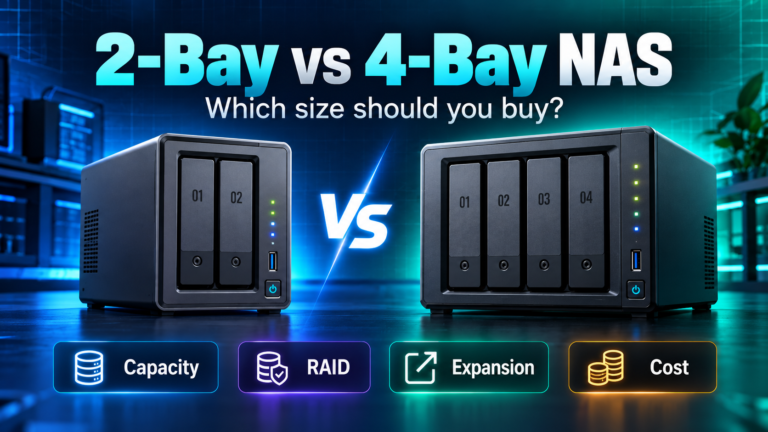
If you have not chosen the enclosure, read 2-bay vs 4-bay NAS and best 4-bay NAS first. The number of bays can determine which RAID choices are available. Then select the drive capacity using DiskBarn’s hard-drive database and verify compatibility with the NAS manufacturer.
RAID is not backup, and a UPS has a separate job
RAID helps a storage volume stay available when certain drives fail. It does not protect against deletion, malware, a mistaken admin action, theft, fire or multiple correlated failures. Keep another versioned copy of important data outside the array, preferably with an off-site component, and test restores periodically.
A power outage is a different risk. A compatible UPS can keep a NAS and necessary network equipment running long enough for an orderly shutdown. It does not replace backups or make a RAID array immune to corruption. For the power side of the plan, see UPSIndex’s NAS and home-server UPS buying guide for shutdown communication, runtime and waveform considerations.
A purchase checklist before ordering drives
Confirm the RAID levels your exact NAS supports, whether you can migrate between them, and the minimum disk count. Calculate usable space after parity and leave room for growth. Verify every drive’s model-level compatibility, interface and recording technology. Budget for an independent backup and, if appropriate, a UPS. If one of those costs makes the system unaffordable, adjust the design before buying rather than removing the backup plan.
Bottom line
Choose RAID 1 for a simple two-bay mirror; RAID 5 for efficient capacity with one-drive tolerance; RAID 6 for any-two-drive fault tolerance; and RAID 10 for workloads that benefit from mirrored-pair performance and rebuild characteristics. The best RAID is the one whose limitations you understand and whose backup strategy you can maintain.