Best NAS for Plex: Direct Play, Transcoding and Hardware That Matters
The best NAS for Plex is not necessarily the NAS with the fastest processor or the most drive bays. What matters first is whether your playback devices can play the file without conversion. A modest storage-first NAS can deliver an excellent 4K direct-play experience, while an expensive NAS may struggle when several remote clients force video transcoding.
| Your Plex situation | Hardware priority | Model to investigate |
|---|---|---|
| One TV at home; compatible files | Storage capacity and quiet operation | DS925+ or another reliable NAS; direct play |
| Remote clients / mixed codecs | Supported Intel graphics acceleration | QNAP TS-464 |
| Creator with fast LAN and Plex | Intel CPU plus built-in 10GbE | UGREEN DXP4800 Plus; verify Plex setup |
| Several 4K transcodes or difficult subtitles | Tested codec-specific transcoding, not marketing | Confirm Plex compatibility and real workload before buying |
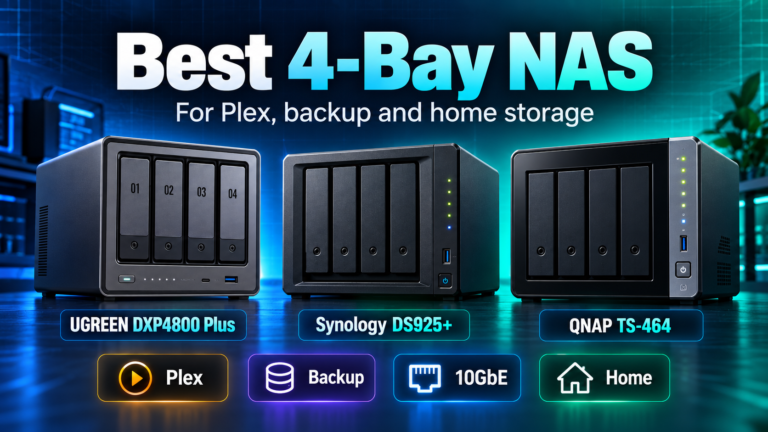
Research the exact NAS models before buying:
- QNAP TS-464-8G-US 4-Bay Desktop NAS – check Amazon listing (paid link)
- UGREEN DXP4800 Plus 4-Bay NAS – check Amazon listing (paid link)
- Synology DiskStation DS925+ 4-Bay Diskless NAS – check Amazon listing (paid link)
Affiliate disclosure: As an Amazon Associate I earn from qualifying purchases. Amazon links above are paid links. Verify the exact model, seller, condition and current availability.
Understand direct play before paying for a bigger CPU
Plex has three broad playback paths. Direct Play sends a compatible video and audio file to the client with little server processing. Direct Stream repackages a compatible stream into a different container and is usually light on CPU. Transcoding converts video or audio because the client, network setting, subtitle format or codec cannot handle the original stream. Video transcoding is the demanding case.
A television that plays your original HEVC file over a local network may barely load the NAS CPU. A phone using a lower remote bitrate, or a client requiring subtitle burn-in, may force full conversion. This is why the phrase ‘4K NAS’ is not enough to predict Plex performance. Check your actual library, clients, subtitles and remote-streaming settings.
QNAP TS-464: a clear starting point for Plex-focused buyers
The QNAP TS-464 uses an Intel Celeron N5095 with Intel UHD Graphics. QNAP documents hardware-accelerated transcoding support, and the model combines four SATA bays, two M.2 slots, HDMI, dual 2.5GbE and PCIe expansion. That makes it a practical short-list choice for someone who wants Plex and a versatile NAS rather than just network storage.
Plex’s own documentation says hardware-accelerated streaming is a premium feature that generally requires an active Plex Pass. It also depends on compatible hardware, software configuration and the codec being converted. Buying an Intel NAS does not guarantee unlimited 4K transcodes, and a particular HDR tone-mapping or subtitle workflow may behave differently from a simple 1080p transcode.
Good fit: mixed media clients, some remote conversion, HDMI-related workflows and users who want QTS expansion. Check QNAP TS-464-8G-US on Amazon (paid link).
UGREEN DXP4800 Plus: strong hardware, verify the exact Plex path
The UGREEN DXP4800 Plus pairs Intel Pentium Gold 8505 hardware with 8GB DDR5, four SATA bays, two M.2 slots, 10GbE and 2.5GbE. UGREEN positions it for media and video workloads, and current DXP models support Docker. Those are promising ingredients for a Plex-capable home server.
The responsible distinction is between an Intel graphics-capable processor and verified Plex acceleration in the exact OS, app build and codec path you intend to use. Confirm Plex Media Server availability, access to the hardware video engine, container settings if using Docker, and the Plex compatibility guidance before making transcoding your deciding factor. If you mostly direct play, the uncertainty matters much less.
Good fit: a media-heavy household or creator who also benefits from 10GbE and wants hardware headroom. Check UGREEN DXP4800 Plus on Amazon (paid link).
Synology DS925+: excellent storage does not mean ideal transcoding
The Synology DS925+ uses an AMD Ryzen V1500B without an integrated GPU listed for Plex hardware acceleration. It is attractive for DSM backup workflows, ECC memory, snapshots and direct-play media, but it is not the natural first choice when you expect regular GPU-assisted transcoding.
That does not make it a poor Plex NAS. If the clients in your home already direct play most content, you can prioritize storage management and data protection. If remote friends frequently need video conversion, however, choose based on the conversion workload rather than DSM familiarity alone. The Synology DS925+ vs QNAP TS-464 comparison explains that tradeoff in more detail.
What about a 2-bay Plex NAS?
A two-bay enclosure can be entirely sufficient when a mirrored pair of drives meets your library’s capacity needs. The UGREEN DXP2800 has an Intel N100, 8GB DDR5 and 2.5GbE in a compact chassis, while the Synology DS225+ offers a DSM-oriented two-bay route. Neither should be chosen for a specific transcoding promise without checking current Plex compatibility for that exact model.
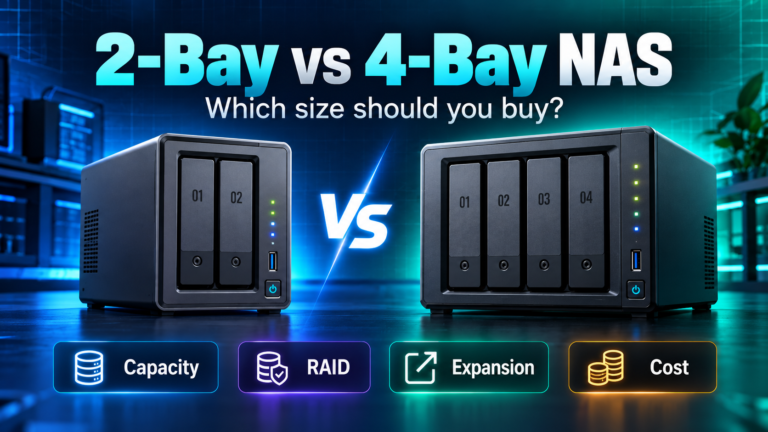
If you need more storage than a two-drive mirror comfortably provides, the choice of 2 bays versus 4 bays may matter more to your total cost than the difference between two similar CPUs. Drives often represent a large share of the full NAS purchase.
Five Plex checks that prevent buyer regret
1. Inventory the clients. Write down the TVs, streaming sticks, phones and browsers that will play your library. Check whether the main video and audio codecs direct play on those clients.
2. Identify remote users. Streaming over the internet may trigger bitrate conversion. Your home upload speed, remote client’s download speed and Plex quality settings all matter.
3. Check subtitle behavior. Image-based or incompatible subtitles can force burn-in and a video transcode even when the video itself is compatible.
4. Verify Plex Pass and device support. Hardware acceleration normally requires Plex Pass and an appropriate Intel Quick Sync or other supported GPU path. Use Plex’s official NAS compatibility resources; do not infer it from CPU branding alone.
5. Size storage separately. Four 12TB drives in RAID 5-style parity yield about 36TB before overhead, not 48TB. Plan the usable capacity and independent backup with the DiskBarn RAID calculator.
Is 10GbE needed for Plex?
Usually not for a few home streams. Even high-bitrate direct-play movies rarely require a dedicated 10GbE NAS connection by themselves. Faster Ethernet matters more when the same box serves large file transfers, photo editing, multiple workstation backups or a busy shared storage workflow. Do not pay for a 10GbE network solely because you see ‘4K Plex’ in a product description.
Bottom line
For a Plex-first four-bay purchase, investigate the TS-464 because its Intel graphics and transcoding support are documented. Consider DXP4800 Plus if you also want strong local-transfer hardware and can verify your Plex acceleration setup. Choose DS925+ when backup and DSM matter more than video conversion. If your clients direct play, buy the NAS that best fits storage capacity, noise, administration and backup, not a speculative transcode benchmark.