Will This Hard Drive Work in My NAS? Exact-Model Compatibility Checklist
Quick answer: A hard drive can fit in a NAS bay and still be a poor or unsupported choice. Confirm the NAS model, the drive’s complete part number, the interface, sector format, recording technology and the manufacturer’s current compatibility policy before purchasing. A label such as “16TB NAS drive” does not identify the hardware precisely enough.
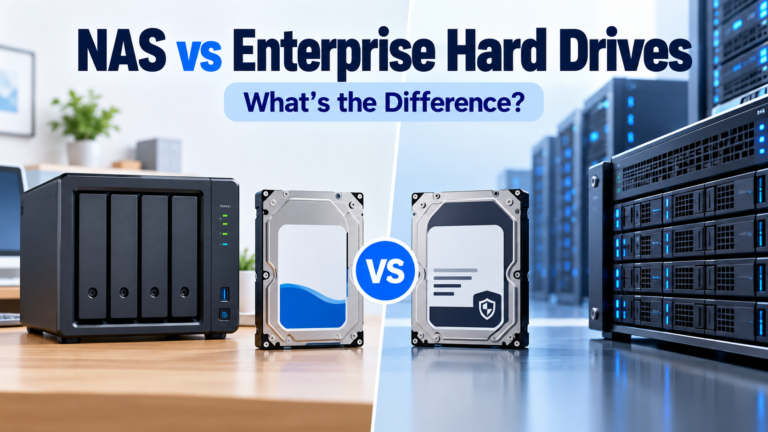
This checklist focuses on whether a particular disk belongs in a particular NAS. It is different from asking whether to mix brands or capacities, which is covered in the mixed-drive NAS guide, and different from choosing between NAS and enterprise drive families.
Start with two exact model numbers
Write down the complete NAS model and its current operating-system version, then the drive’s full manufacturer part number. For example, “Synology DS925+” is useful; “Synology four-bay” is not. For drives, “WD Red Plus 12TB” may identify a family and capacity but still omit a suffix that distinguishes specific products or revisions.
The hard-drive comparison database helps narrow drives by brand, series, capacity and model. The NAS device database helps identify the enclosure’s bays, platform and networking. Neither database is a substitute for the NAS manufacturer’s live compatibility list.
Seven checks that prevent expensive mistakes
| Check | What to verify | Why it matters |
|---|---|---|
| 1. Interface | SATA vs SAS, exact connector | A SAS disk cannot operate in an ordinary SATA-only NAS bay |
| 2. Physical format | 3.5-inch/2.5-inch, tray and clearance | A disk must mount and connect correctly |
| 3. Recording | CMR vs device-managed SMR | Rebuilds and sustained writes can behave very differently |
| 4. Sector format | 512e vs 4Kn | Older controllers or NAS software may reject some formats |
| 5. Model validation | Exact SKU on vendor list or permitted by policy | “Same family” does not guarantee support |
| 6. Operating limits | Power, startup current, noise, heat and bays | Dense or home-located arrays have practical constraints |
| 7. Support and warranty | Vendor support status, retail/OEM/recertified channel | A working disk can still have limited support or warranty |
1. SATA versus SAS is a hard boundary
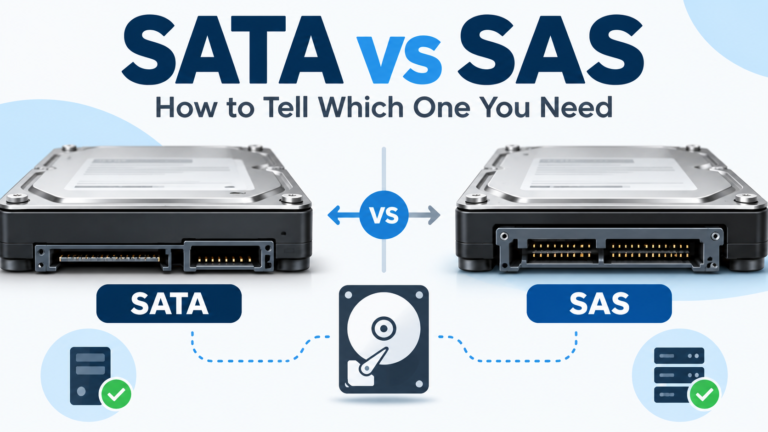
Most home and small-office NAS appliances use SATA bays. Enterprise hard drives can be sold as SATA or SAS variants even at the same nominal capacity. Do not assume the drive is SATA because the listing shows a 3.5-inch HDD. Compare the exact interface specification with the NAS hardware. The enterprise drive in a home NAS guide explains why a cheap SAS Exos or enterprise disk may be the wrong purchase for a SATA enclosure.
2. CMR is the safer general-purpose NAS RAID default
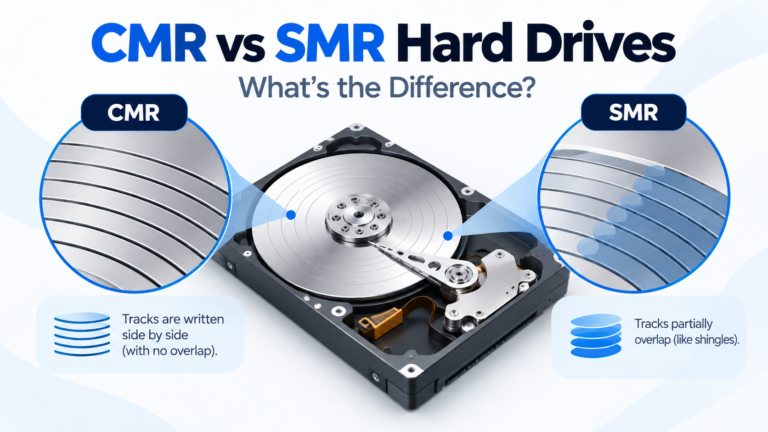
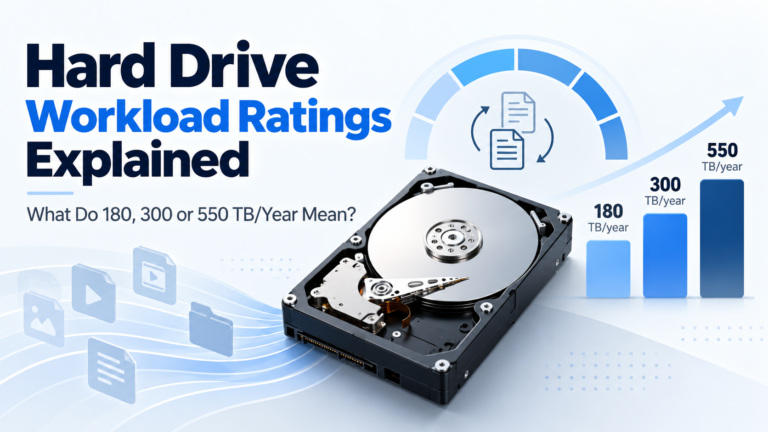
Conventional Magnetic Recording (CMR) drives are a more predictable choice for sustained writes, parity arrays and rebuilds than many device-managed SMR models. That does not mean every SMR drive is defective or incapable of NAS use. It means the recording technology must match the workload and array implementation. Western Digital has specifically discussed poor behavior of device-managed SMR under sustained random-write and ZFS resilver workloads; the storage guides hub includes the CMR versus SMR distinction.
3. Check 512e and 4Kn before buying enterprise disks
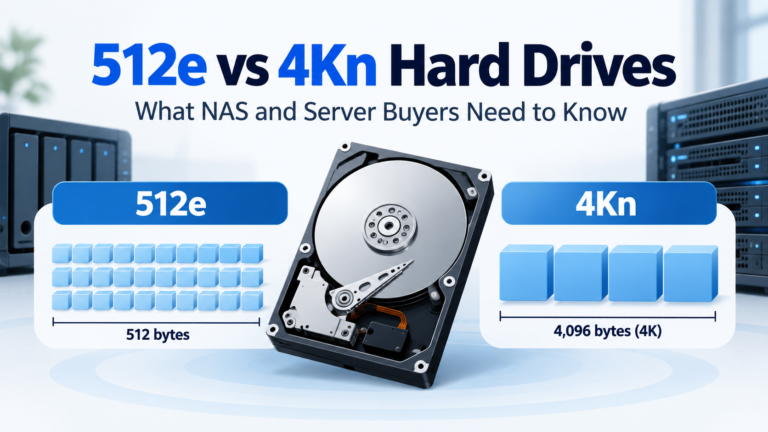
A drive may present 512-byte logical sectors while using larger physical sectors (512e), or it may expose native 4096-byte logical sectors (4Kn). Some platforms support both; others have version or controller restrictions. If the exact NAS model does not document 4Kn support for the drive, do not guess. A 4Kn model may not be interchangeable with the 512e SKU from the same family.
4. Treat drive-list status and drive support as separate questions
Some NAS manufacturers test and publish exact model numbers. A missing entry may mean untested, not necessarily physically incompatible. An explicit incompatibility entry is more serious. The right action depends on the vendor’s current policy, not on a blanket rule that every unlisted drive works or fails.
QNAP’s official compatibility list warns that its support coverage depends on listed devices. Seagate’s IronWolf guidance also recommends checking the NAS vendor’s current compatibility information rather than assuming a NAS drive works in every enclosure.
Synology DSM 7.3: why old advice can be wrong
Synology’s 2025 drive-policy announcement created confusion because its restrictions later changed. The official DSM 7.3 compatibility-policy FAQ, last updated May 27, 2026, says that 2025-and-later DiskStation Plus models can create new pools with unlisted third-party HDDs and 2.5-inch SATA SSDs when the drives are not explicitly on the incompatibility list. Synology still recommends verified models, and unlisted drives may have support limitations.
The same FAQ applies different rules to some rackmount and enterprise series. On specified enterprise families and RS Plus, unlisted HDDs may be usable for migration from an existing Synology system only, not for a new pool. M.2 NVMe rules are also more restrictive than ordinary 3.5-inch HDD rules. The FAQ states that the new policies do not apply retroactively to models launched before 2025.
Do not reduce this to “all Synology NAS units require Synology-branded drives” or “DSM 7.3 removed all restrictions.” Both statements are misleading. Confirm your model’s product series, release period, drive type and DSM version, then check the current list and policy together. A buyer considering the Synology DS925+ should apply the current desktop Plus rules rather than rely on an old launch-week article.
A practical purchase example: four-bay NAS and 12TB drives
Suppose you want four 12TB drives for a home backup NAS. Before choosing a brand, confirm the NAS’s exact compatibility rules and intended RAID level. Four 12TB disks provide 48TB raw; RAID 5 provides 36TB nominal RAID-usable, while RAID 6 provides 24TB, before platform overhead. The RAID capacity calculator lets you change the layout and drive size, and the worked capacity tutorial explains why the filesystem may report less.
Next, compare specific 12TB drive SKUs. Verify SATA, CMR, sector format and warranty channel. If one candidate is an enterprise disk, review acoustic and power limits for the room where the NAS will sit. If one is refurbished or recertified, compare the actual seller and manufacturer coverage rather than assuming the normal retail warranty applies.
What if a drive is not on the list?
Follow this decision sequence:
- Search the NAS manufacturer’s compatibility page for the full drive part number, not only the family name.
- Read the vendor’s rule for unlisted drives on that exact NAS series and OS version.
- Check whether the drive is explicitly listed as incompatible.
- Confirm the required interface, sector format, maximum drive size and any firmware qualifications.
- Decide whether reduced support or missing health-management features are acceptable for the data and workload.
- If uncertainty remains for important storage, choose a validated alternative or request written guidance from the NAS manufacturer.
An unlisted drive should not automatically be declared unusable. Equally, a forum post reporting that a drive boots does not establish official support or reliable behavior under rebuild, temperature and power-cycle stress.
When the cheapest drive is not the cheapest choice
A lower purchase price can be offset by limited warranty, shipping a failed drive to an overseas seller, unexpected power consumption, noise in a living space, or the time spent diagnosing unsupported firmware. Compare cost per nominal usable terabyte for the intended RAID layout, not only the price per raw terabyte. For warranty-channel differences, see the enterprise drive in a home NAS guide.
Final buying checklist
Keep a short record containing NAS model and firmware; drive manufacturer, model and SKU; interface; recording method; sector format; vendor-list status; support/warranty terms; and the RAID/capacity plan. Recheck the compatibility list immediately before purchase because a NAS software update or vendor validation can change the answer.
A good NAS disk is not simply the largest or cheapest disk that fits. It is the exact model that your platform can use reliably, that its vendor will support to the degree you require, and that meets your capacity and operating needs.